Chapter 3
Who you have on the other side
What an AI materially is, what it sees, how it gets things wrong, and how to choose among products that keep changing.
An honest preamble: half of this lasts, half of it changes
Half of this chapter will never go out of date, and half of it goes out of date quickly. The first part explains what this thing materially is, how it reasons and how it gets things wrong: it holds today and it will hold in ten years. The second names names, prices and product categories, and there the names will change.
I will tell you when we get there, so you know what is worth learning and what is worth only consulting. The categories and the questions to ask outlast the names: learn those. The names anyone will tell you, including the AI itself.
What you take home from this chapter
- what one of these things materially is;
- six new technical words you will hear every day from now on; in the pocket notebook they become twelve, because I add the ones met in the other sections. With those words you will know what picture to form of who you have on the other side: what it sees, what it remembers, what it cannot know;
- what to do when it goes wrong, which is the skill that will save you more time than any other;
- the difference between frontier AIs and open ones, and when each is worth it;
- where the things you write end up, and how much all this costs;
- how to choose, without spending three weeks comparing.
The exercises in this chapter are done with an AI open in front of you. If you do not have one yet, do not wait until the end of the chapter to get one: open the free version of the first one that comes to mind, any of them, and keep it there. We get to the real choice at the end, and by then you will also have the criteria for making it.
What, materially, one of these things is
Let us start from something almost nobody says, and which puts everything back in proportion.
An artificial intelligence is a file.
An enormous file, containing an endless quantity of numbers, but a file: it sits on a disk, it can be copied, it has a size in gigabytes. That file is called a model. The numbers inside it are called parameters, and they are the equivalent of a brain’s connections: on their own they mean nothing, all together they encode what the model can do.
How did those numbers get in there? Through training: months of computation over mountains of text, in which the model learned to predict what comes next. It costs hundreds of millions and only a few companies in the world do it. It happens once, before you exist as far as the model is concerned.
When instead you write something and get an answer, that is called inference: the file is loaded into memory, your words pass through it, other words come out. It costs a few cents and takes a few seconds.
The distinction sounds theoretical and is in fact the most practical thing in this chapter, because a fact follows from it that surprises nearly everyone:
The model does not learn from you while you talk to it. That file of numbers stays identical. At the end of the conversation, everything the two of you said disappears from the model, which goes back to exactly what it was. Careful, though: the product you are using may have a memory of its own, that is, a file of notes about you which it automatically re-attaches every time. These are two different things. The model never changes, the notes do. And the notes, usually, you can read and delete.
There is a practical consequence you will need throughout this book: if a conversation went well and you need it again tomorrow, the value is not in the model, it is in what you wrote down. Good instructions get saved in a file. We will come back to it, and it is one of the habits that changes the results most.
The words you will hear every day
There are six new words. In the pocket notebook at the end they become twelve, together with the ones met in the other sections. They are not difficult, and knowing them saves you from feeling like a foreigner.
Prompt. What you write. It is not only the question: it is everything you hand over, including the instructions on how to work and the files you attach.
Token. The unit models count text in. They are not letters and they are not words: they are pieces of words. “House” is a single token, “inconceivable” is worth three or four. Rule of thumb: a page of a book is about 600 tokens, a ten-page contract about 6,000. You need it because tokens are the unit both memory and price are measured in.
Context, or the context window. How much text the model can hold in front of it at one time. It is its work table: your prompt, the files you attach and the whole conversation so far all sit on it. Today’s models have enormous tables, capable of holding entire books. But a table, however big, fills up: when that happens, the things said at the beginning slide off, and it is the reason a very long conversation starts, at a certain point, to “forget”. The solution is not to argue: it is to open a new conversation and hand over the essentials again.
Hallucination. When the model invents something with the same confident face it has when telling the truth. It is not a bug that will be fixed next week: it is a consequence of how the machine works, generating the most plausible continuation with no internal way of telling the plausible from the true. On verifiable facts, always verify: proper names, dates, article numbers, quotations, prices. On work it does rather than says, such as writing a program, checking is easier: you run it and see whether it works.
Multimodal. It means that besides text it also digests images, audio, sometimes video. In practice: you can photograph a bill, an error on screen, a sketch on a napkin, and ask what it makes of it. It is one of the things that will save you the most time overall, and almost nobody uses it enough.
Reasoning. Some models, before answering, take extra time to think in silence, trying different routes. They cost more and are slower, but on hard problems they get things wrong far less often. On simple things they are a waste. The usual rule applies: you do not need the most powerful model, you need the one suited to the job.
What it sees, what it remembers, what it cannot know
Now you have the words. What you are missing is the thing that matters more than the words, and which almost nobody explains because to people who work in this field it seems obvious: what picture you should form of what you have on the other side.
You will form one anyway, you cannot help it. It is what we always do with things that answer back: we build a portrait of them in our heads and then talk to them accordingly. The point is that there are two very common wrong portraits, and both produce bad days.
The first is “it is a sort of person”. Anyone with this in their head assumes the other party sees what they see, remembers what they said yesterday and grasps immediately what they mean. None of the three is true, and the disappointment arrives on schedule.
The second is “it is a program, so it does exactly what I tell it”. Anyone with this in their head writes telegraphic instructions as if they were commands, and is surprised when the machine fills in the gaps they left open in its own way.
The image that works is a different one, and it is worth keeping for the whole book:
A collaborator with boundless learning and a speed you have never seen, who however turns up every morning remembering nothing of the previous days, has never seen the place you work in, and knows only what you put on the table.
It is not a person and it is not an appliance. It is a third thing, with a form of competence that is lopsided: it knows things you do not, and does not know things your desk neighbour knows. From here on, every time something does not add up, the explanation is almost always in one of these three questions.
What it sees
Only what is on the table. The table is the context we have just talked about: your words, the files you attach, the conversation so far.
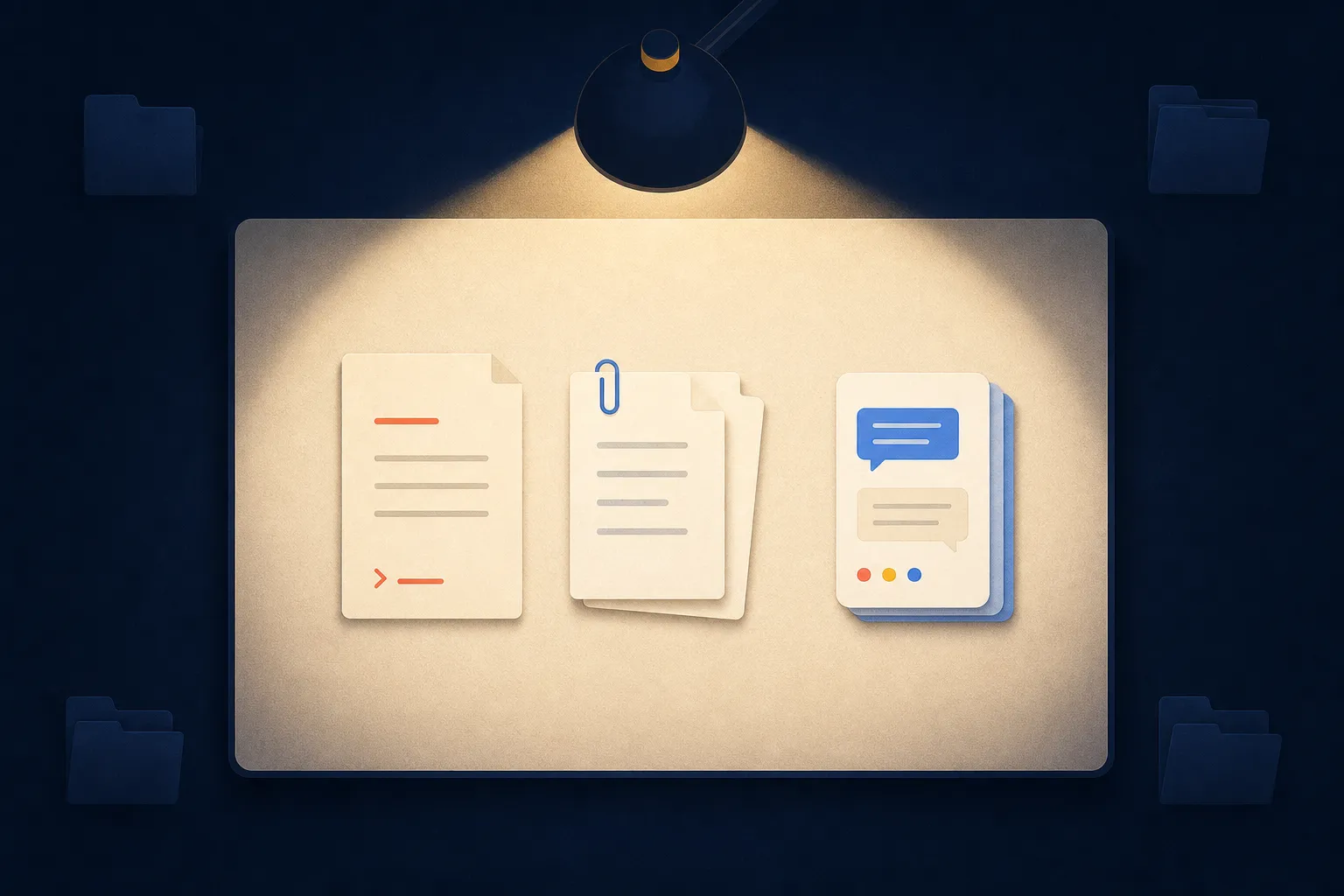
Outside that, darkness. It does not see your screen. It does not see your folders. It does not know you are looking at an invoice while you write, does not know your child is in the room interrupting you, does not know that last time your boss got annoyed about that line.
This holds even when the AI is genuinely working on your computer, as we will
see in the coming chapters. In that case it can go and look, but going to look
is an action, not a glance: it has to know where, and it only goes if you tell
it or if it decides it is needed. It is why we spent half of chapter 1 talking
about paths. “Those invoices there” is not a place.
Documents/Invoices/2026 is.
What it remembers
Between one conversation and the next, nothing. We saw it at the start of the chapter: the model is a file that does not change, and what you said yesterday is not inside it. If the product you use keeps notes about you, they are notes — a separate sheet it re-attaches every time — not a memory.
Within the same conversation it remembers everything, but only as long as the table holds. When it fills up, the things said at the beginning slide off, and from then on it will seem forgetful precisely about the premises you had settled at the start.
Out of this comes a rule that holds forever and will save you whole evenings: what has to survive should not be said in a chat, it should be written in a file. The good instructions, the conventions you have adopted, the way you want to be spoken to: those get saved and handed over again. Starting over with the folder in hand costs thirty seconds. Reconstructing from memory an understanding that got lost along the way costs an afternoon.
What it cannot know
Three categories, and the third is the one that catches everybody out.
What happened afterwards. The model was trained up to a certain date, and the world moved on. If it has no way of going to look, the most recent news it knows may be months old.
What is written down nowhere. Your habits, the real reason you are doing this, the fact that of those three files only one is the up-to-date one, that the client takes offence if you use their first name. These are the things a colleague picks up by sitting in a room with you for six months, and they are exactly the part you cannot take for granted.
What it does not know it does not know. Here is the delicate point. A competent human being, faced with a gap in the instructions, usually stops and asks. The model, by construction, generates the most plausible continuation: and a plausible invention, seen from the inside, is indistinguishable from an informed answer. It is not lying to you and it is not guessing out of laziness. It is doing the only thing it knows how to do, even when the right information was not there.
Hence the most useful sentence in this chapter:
When your request has a gap, do not expect a question. Expect a reasonable invention.
And so, turned round: working well with an AI does not mean asking intelligent questions. It means leaving fewer gaps, and quickly noticing the ones that are left.
The reflex to acquire
There is one move that costs ten seconds and will save you a disproportionate amount of redone work. Before letting it set off on something long, ask it:
“Before you start: tell me back in your own words what I need to get, list the three things you are taking for granted, and tell me what you are missing.”
The three things taken for granted are the treasure. Almost always at least one of them is obvious to you and invisible to it, and it is the one that would have sent everything sideways. The same question, asked halfway through in the form “what have you done so far and where”, is how you keep an eye on it while it runs.
This is not suspicion. It is routine maintenance of an understanding between two parties who see different things. In chapter 1 we said your computer is becoming a shared environment, and that it works to the extent that both parties can understand it. Now you have the two halves: you know how the space is made, and you know how the one working in it alongside you looks at that space. The rest of the book is learning to keep the two aligned while you work.
When it goes wrong
It will go wrong. This is not a remote possibility to be prudently factored in: it is how the thing normally works, and it happens to people who have worked this way for years.
It is worth saying now, before it happens to you, because the moment it goes wrong is the moment people split into two groups. The first thinks “so it does not work” and goes back to doing everything by hand. The second has learned a manoeuvre that takes thirty seconds. There is nothing in between, and the difference is not talent: it is knowing what to look at.
The hard part is noticing
A terminal error comes to meet you: red line, English text, no doubt about it. An AI error does not. It has the same confident face, the same orderly prose, the same competent air as the right answer, for the reason we saw: from the inside, a plausible invention and an informed answer are the same thing.
So recognising it is not automatic, it is something you have to do. Three signs are worth more than all the others:
It answered a slightly different question from yours. It is by far the most frequent case, and it is insidious because the answer is good. It simply is not the answer to what you asked.
A verifiable detail is wrong. A name, a date, a price, a path, an article number. If it gets wrong something you can check in ten seconds, treat everything else you cannot check as suspect too.
It went too smoothly. If something you know to be complicated came out perfect first time and without a single question, almost always it has not solved the hard problem: it has solved the easy one that looks like it.
The four ways it goes wrong
These are for you, not for it. Recognising the type tells you what to do, and there are four.
1. The slip. You attached the old file, you mistyped a path, you were working in a different folder. The symptom is unmistakable: the work is done beautifully, on the wrong thing. The cure is to look at what you gave it before looking at what it handed back.
2. The gap. Your request had a hole and it filled it in, as it always does. The symptom is that the result is reasonable but is not what you had in your head. The cure is not to repeat the request more emphatically: it is to add the missing piece. Repeating something incomplete more loudly leaves it incomplete.
3. The invention. It said something false without knowing. On facts you verify outside, and there is no shortcut. On work it does instead, like a program or a spreadsheet, you are lucky: you run it, and either it works or it does not.
4. The spiral. This one deserves a name because it is the most underestimated. You correct, it gets worse. You explain again, it gets worse still. By the fourth attempt the two of you are discussing something with no relation to where you started. It is not that it has dug its heels in: it is the table, by now covered in failed attempts, and every failed attempt is material it keeps on reading.
Hence the manoeuvre that is worth the chapter:
The two-correction rule. If two attempts have not fixed it, stop correcting. The problem is no longer in the answer, it is in the request. Open a new conversation, hand over the essentials again and restart from the point where things were still healthy.
It costs three minutes and feels like a defeat. It is the opposite: it is the move that separates people who work well from people who spend their afternoons arguing with a machine that has no intention of arguing.
Working so that being wrong is cheap
The other half of the matter is not what you do afterwards, it is how you had set yourself up beforehand. People who work well with these things do not make fewer mistakes: they make them in conditions where the mistake cancels itself out.
Three habits, all of them small:
- have it work on a copy, when the material is yours and cannot be remade. It applies to folders of documents exactly as it applied to the big knife in the previous chapter;
- one step at a time, looking in between. Three consecutive operations done in one go, if it gets the first wrong, hand you back three jobs to redo instead of one;
- have it tell you the plan before the execution, on long things. A list of what it intends to do takes ten seconds to read, and disasters are almost always visible there, not afterwards.
Then there is the thing not to do, and it is a mistake almost everybody makes at first: taking it personally. Not against it, which does not notice, and not against yourself either. When a request and an answer fail to meet, nothing serious has happened and nothing rare has happened. A wrong answer is not a judgement on you, and correcting it is not a quarrel: you go back to the last clear point, adjust your aim and carry on.
Who is on the field: the frontier AIs
This is where the perishable part begins. The names, the prices and the product categories will change; the mental model of the previous sections will not.
Frontier is what the largest and most expensive models to train are called, the ones at the limit of what is currently possible. The main families are few, because they need enormous capital: Claude by Anthropic, GPT by OpenAI, Gemini by Google, and a second group moving fast, including European outfits such as Mistral and several Chinese laboratories.
The thing you need to know is counter-intuitive: they are all very good, and the distance between them is far smaller than the announcements imply. For the kind of work you will do in this book there is no wrong choice. You will experience the real differences as differences of character: one writes more naturally in your language, one is better at holding the thread of a long project, one is more cautious, one is faster. These are things you only feel by using them, and they also depend on how you write.
A note on how the league tables are made, so you do not get overawed: nearly all of them measure standardised tests, often in mathematics and programming. They are useful to people building models, and say very little about how well you will get on tidying up your invoices. Your league table has one row: yesterday’s work.
The open AIs, the ones you can download
So far we have talked about services: you write, the answer arrives from someone else’s computer. But a second family exists, and it changes the rules.
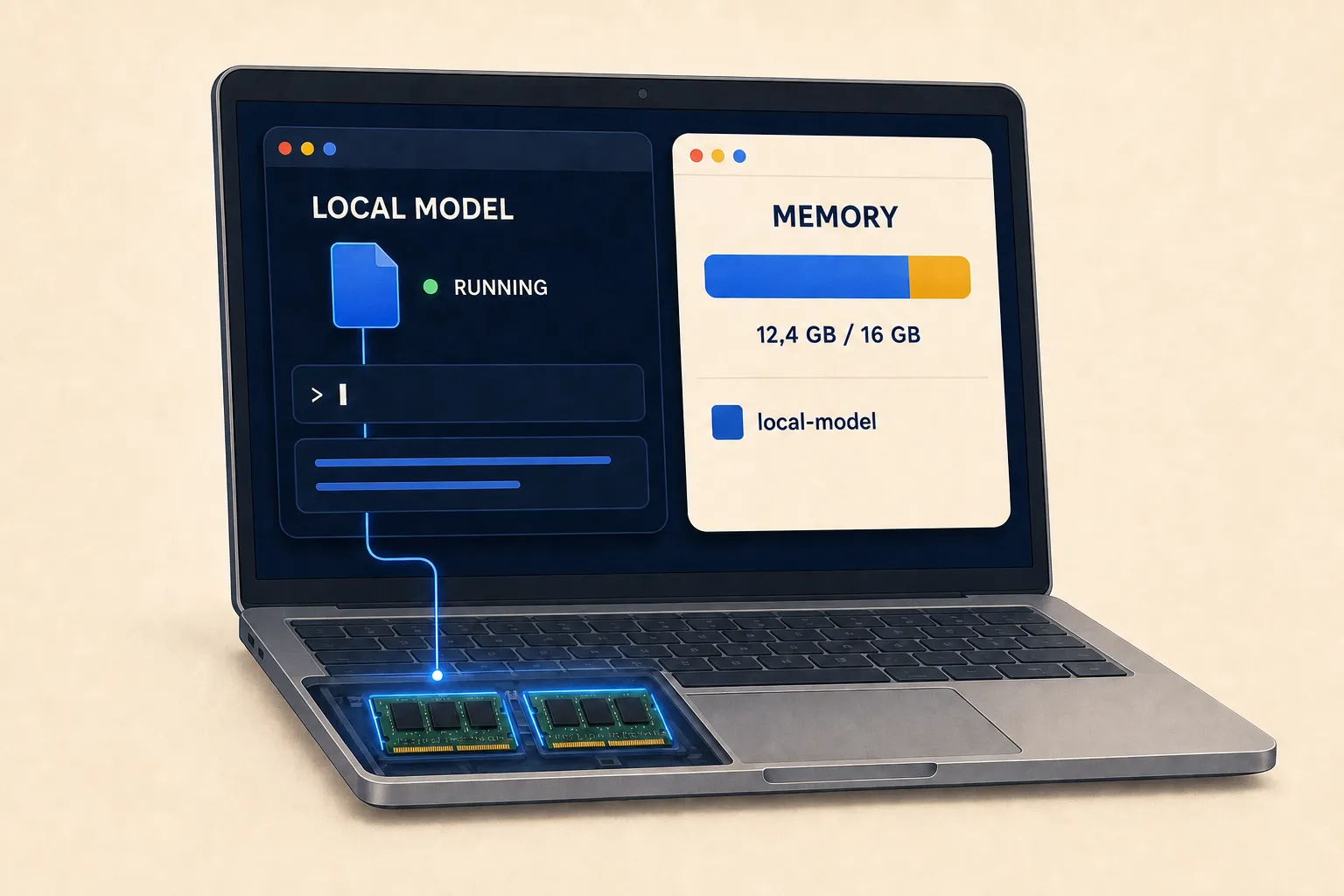
Some companies publish the model file. They are said to be open weights: you can download it, keep it on your own disk and run it on your own computer, without asking anyone’s permission and without connecting to the internet. The names you will hear are Llama by Meta, Mistral, Gemma by Google, Qwen by Alibaba, DeepSeek.
Mistral appears in both lists, and that is not a mistake: frontier says how capable and expensive to train a model is, open weights says how it is distributed. A model can be both.
They are downloadable, and generally free. They are not always “free” in the full sense of the word, because each has its own licence and some impose conditions on commercial use. It is worth reading, if you build something on top of them that you sell.
You do not need to be technical to use them: there are programs that download them and run them with two clicks, the most widespread being Ollama and LM Studio.
What you gain:
- no bills to pay, however much you use it;
- nothing leaves the house: what you write stays on your disk, which counts for a lot if you work with data belonging to clients, patients or minors;
- it works without a network, on a plane or somewhere with no signal;
- it cannot be changed under your feet: the model you downloaded today will work identically in three years, whereas an online service can be updated or shut down.
What you lose, and here I have to be precise because this is the part usually told badly: a frontier model will not run on an ordinary laptop. What runs there are the little brothers, which on average cut the figure of an online model from a year or two ago. For summarising texts, tidying notes, translating, answering simple questions, they are perfectly fine. For writing complicated programs or reasoning about hard problems, the difference is very much felt.
Rule of thumb for whether your computer can manage: what counts is memory and, on recent Macs, the fact that processor and memory are integrated. With 16 GB of RAM you work well with the small models, with 8 GB you struggle. If in doubt, the right question to ask an AI is: “I have this computer, which open models run on it decently?”.
Where what you write ends up
This section is short and is worth the whole chapter.
When you use an online service, what you write travels to that company’s computers. It stays there for a while, for technical and legal reasons. The question that matters is a different one: is that text used to train future models?
The answer depends on the plan, and the general rule is this:
- on free plans and some personal plans, often yes, unless you turn it off in the settings. Usually it can be turned off, and almost nobody does because they do not know it is there;
- on work plans (business, team, enterprise) and on paid technical access, as a rule no, and it is written in the contract;
- on an open model running locally, the question does not arise: nothing leaves.
It is not a question of trusting companies, it is a question of professional hygiene. If you are a lawyer, a doctor, a consultant, or you simply handle other people’s data, the responsibility for what you paste is yours, not the supplier’s.
The practical rule you can keep forever, and which requires reading no contract: do not paste into an AI what you would not email to an outside colleague. If you have to, first remove names, tax codes and account numbers, or work locally.
There is no contradiction with what we said at the start: the model you are talking to right now learns nothing from you, it stays identical. What can happen is something else: that your conversation ends up in the material a different model will be trained on, a year from now. It is not the same thing, and it changes a lot about which questions to ask.
What it costs
Three ways of paying, and for ninety per cent of people the choice is already made.
Free. All the big ones have a free version, with limits on the number of messages and usually with the less powerful model. It is fine for trying things out and for occasional use. It is not fine for working, because the limit always arrives in the middle of the important thing.
Subscription, around twenty euros a month, with a more expensive variant for heavy users. It is the right choice for almost everyone: for that sum you can do everything in this book, and above all you do not stop in the middle of something important because you have run out of messages. Whether it is worth the money you will decide after the first month, by looking at what you got done: it is the only sensible way of deciding.
Pay as you go, meaning you pay for how much text passes through, measured in tokens, usually per million. It is how the programs that use AI on your behalf pay, and we will get there in the chapter on agentic tools. It has an advantage, you pay only for what you use, and a risk, that there is no ceiling: if you leave a tool working all night, the bill arrives. You set spending limits, and you set them straight away.
An honest note, in line with what we said in the previous chapter: when the AI stops chatting and starts working — reading files, trying, failing and trying again — it consumes far more than when answering questions. That is normal, it is the price of the fact that it is doing something instead of you. But it is why the subscription that is enough for you today may not be enough in six months, and that is worth knowing beforehand rather than afterwards.
Three ways of working, in increasing order
Before closing, three words that act as a map for the coming chapters. They are three different ways of using the very same technology.
The chat. You ask, it answers, you read and use the answer. It is what everyone knows. You still do the work: you copy, you paste, you apply.
Reasoning (and models built this way you will see called reasoning models). The same, but before answering it takes its time and thinks. It is needed when the problem is hard and the first idea is usually wrong.
The agent. Here everything changes: it does not answer you, it does. It opens files, reads them, writes programs, runs them, looks at what happened, corrects and tries again. It works on your computer, with your keys, inside that perimeter of permissions we talked about in chapter 2.
The first two you have already used, even without knowing what they were called. The third is the reason we spent a whole chapter in the terminal, and it is where this whole book is heading.
How to choose, without losing three weeks
Five questions. Answer these and you are done.
- What do I need it for? Writing and summarising: they are all fine. Programming and carrying long projects forward: look at which family is stronger there, because it is the only area where the difference is really felt.
- What data am I passing it? Your own harmless stuff: any online service. Other people’s data: a work plan with training excluded, or a local model.
- Which language do I work in? Try them in your own language, on your own writing, not on a test sentence. The differences are noticeable.
- How much do I want to spend? Zero: free versions and open models. Twenty euros: the right choice for almost everyone.
- Do I get on with it? It is the criterion that weighs more than all the others put together, and the only one no league table can give you.
Then a piece of advice worth more than the whole list: pick one and stay with it for a few months. The real advantage is not having the best model, it is knowing the tool you have well: how it reacts, how instructions need to be written so it understands first time, where it tends to go wrong. Anyone switching AI every fortnight chasing the latest thing stays a beginner forever, with the best tool in hand.
The pocket notebook
- model: the file of numbers that is the AI
- parameters: the numbers inside; how many there are says how big it is
- training: how it was created, once only, at enormous cost
- inference: what happens every time you use it
- prompt: what you hand over to it
- token: the unit text is measured in, and paid for in
- context (context window): how much text it can keep on the table at once
- hallucination: when it invents with a confident face
- multimodal: it understands images and audio too
- open weights: the model can be downloaded and run at home
- frontier: the largest and most capable models around
- agent: an AI that does not just answer, but acts
Where we go now
Now you know what these things are, what their pieces are called, and which one you have in hand.
In the next chapter we put the book’s two halves together. We look at how we got from a program that completes sentences to a collaborator that opens your terminal and works: what agentic really means, what the tools it is given are, and why the point is no longer how intelligent the model is, but what you let it touch.
It is the chapter where the box stops being a box.