Chapter 5
The first project
One afternoon, and from tomorrow you never do it again. Choosing the right job, preparing the ground, asking the way you would ask a colleague, and looking at the result with your own eyes.
One afternoon, and from tomorrow you never do it again
Now let us build something. Something small, yours, and real.
I will tell you straight away what it will not be, so we do not get lost: it will not be a product, nobody else will use it, you will not sell it. It will be one of those things we talked about in chapter 1, the ones nobody will ever put on the market because they are useful to you and four other people in the world. And that is exactly why it works in one afternoon.
We will do the job twice. The first time with your own hands: the AI writes, you read, you run, you check. The second time with the dial turned up, that is, letting it do the doing — if you have a tool that can.
It is not a pointless warm-up lap. It is the only way of arriving at the second round knowing what you are looking at: if you have never done something, you cannot notice that it has been done badly.
What you take home from this chapter
- how to choose a job worth delegating, and how to recognise one that is not;
- how to prepare the ground before starting, which is half the result;
- how to ask, in a way you can reuse forever;
- how to look at what came back, and what to do when it is wrong.
You need the list of three repetitive chores you wrote at the end of chapter 1, and the one with the easiest check that you picked at the end of chapter 4. If you do not have them, stop for five minutes and make those two lists now: without a problem of your own, this chapter becomes a reading exercise.
Choosing the job
Not all jobs are good to delegate, and getting this wrong ruins everything else. Four requirements, and all four have to be there.
It is boring and it repeats. Not something you will do once: something you do every week or every month. The gain is not this afternoon, it is the twelve months that follow.
Reality says whether it went well. We saw it in the previous chapter, and it is the requirement that weighs most. You have to be able to open a folder, count some files, look at a list and know within thirty seconds whether it is right.
It can be undone. If something goes wrong, it can be put right. On this we do not compromise, and two paragraphs from now we will see how to make it true even when it is not so by nature.
You know how to do it by hand. Not “you know how to program”, but you know what done properly means, because you have done it a hundred times yourself. If you cannot do it, you are not delegating: you are hoping.
The job I am taking as an example, and which we will follow through the whole chapter, is this:
I have a folder where the receipts and invoices I download end up: utility bills, medical expenses, subscriptions. They are all called things like
document(3).pdf,Scan_2026_0412.pdf,invoice ok FINAL.pdf. Every time I need something I open them one by one. In March, when I have to hand everything to the accountant, I lose a Saturday to it. I want them renamed with the date in front and a readable description, arranged in subfolders by year, and I want a summary list telling me what is in there.
It has all four requirements: it repeats, it is verified by opening the folder, and I know how to do it by hand because it is what I have always done, only slowly.
Yours will be something else. Anything similar in shape will do: scattered files to be put in order, data from one place to another, repeated checks that are always the same.
Preparing the ground
More than half the result is decided here, and it takes ten minutes.
One folder only
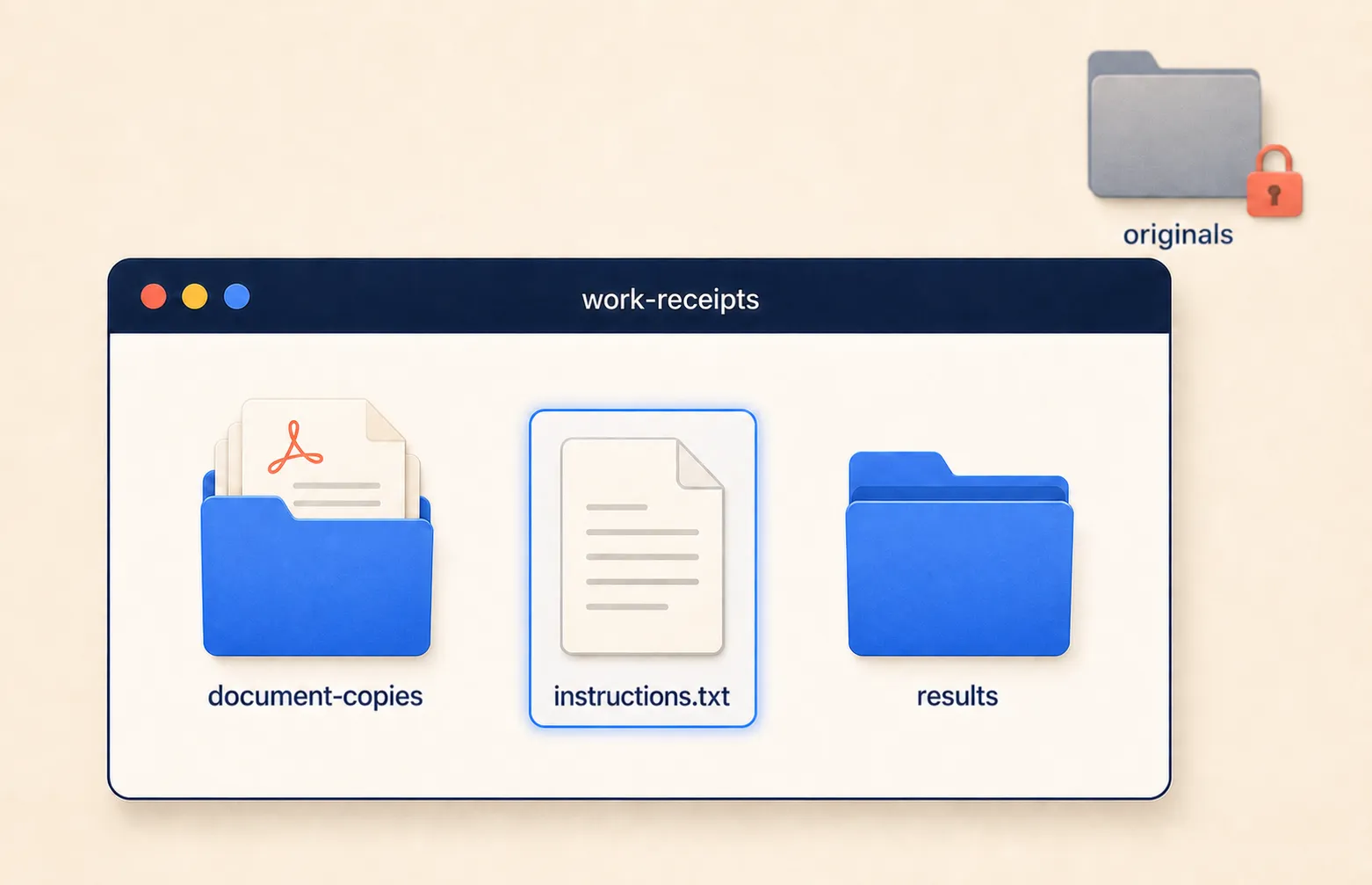
Everything we do happens inside a dedicated folder. Not on the Desktop, not in Documents along with everything else: a folder with a name that says what it contains, created for the purpose.
It is the fence from the previous chapter. It does two things: outside it nothing happens, and when something goes wrong you know exactly where to look.
The copy, and this is not negotiable
The originals are not touched. Ever, and especially not the first time.
You copy the material into the working folder and work on the copy. If the first attempt makes a mess, you have lost thirty seconds and you redo it. If instead you work on the originals, the first attempt that goes wrong costs you the real documents, and there is no command that brings them back.
You need one line, and it is from chapter 2: cp -r to copy a folder with all
its contents. On Windows, if you are not using WSL, the explicit PowerShell form
is Copy-Item -Recurse original-folder working-folder.
This habit is also what lets you turn the dial up without anxiety. You are not delegating your documents: you are delegating a copy of your documents.
The sheet of instructions
Now the piece you sketched in five lines in the previous chapter. We pick it up and write it properly, because it is the piece of harness you build yourself, and it is what makes the difference between a request that lands and three rounds of corrections.
A text file inside the folder, in your own language, containing what you would
tell a new person on their first day at work. The file is called
instructions.txt:
What is in this folder
Personal receipts and invoices downloaded from various portals, as PDFs.
The originals are elsewhere: everything here is a copy.

How I want the files named
date-description-amount.pdf, for example:
2026-03-14-electricity-bill-84eur.pdf
The date is the document's date, NOT the date I downloaded it.
All lowercase, no spaces, no accents.

How I want them organised
One subfolder per year. Inside it, that year's files.

How I want the final list
One line per document, with date, description and amount. At the bottom, the
number of files and the sum of the amounts.

What is not to be touched
Nothing is deleted. If a file cannot be made sense of, it stays where it is and
is flagged in the final list.
Look at it closely, because there are three things in it that are worth more than they seem.
There is the rule written once instead of repeated with every request: from now on, to get that name format, all you have to say is “follow the instructions in the folder”.
There is the thing that is obvious to you and invisible to it, namely that the date has to be the document’s and not the download’s. It is exactly the kind of information we called the gap in chapter 3: if you do not write it, it does not ask you. It fills it in by itself, reasonably and wrongly.
And there is the limit, that is, what is not to be touched. A written limit is worth more than any setting, because it stays there even when you forget to repeat it.
Asking
Now the request. And here a myth needs taking apart, because courses are being sold on how to write prompts as though it were a magic formula.
It is not a magic formula. It is a work brief, and good work briefs always have the same five pieces, whether you give them to a human or a machine.
- What I want to get
- The final result, in one or two sentences, from the point of view of whoever will use it.
- Where the things are
- The path of the folder. Written out in full, as in chapter 1.
- How it should come out
- The format, the rules, the examples. Or the pointer to the sheet of instructions, if you have already written it.
- How I will check
- The sentence you kept from the earlier exercise. Telling it changes the way it works, because it gives it a target instead of an impression.
- What must not happen
- The limits: what is not deleted, what is not touched, where it does not go.
Five lines. After a month you will no longer write them separately, they will come out in two sentences, and that is how it should go: it is a list for learning, not a form to fill in forever.
And then a sixth line, which is not part of the brief but of the habit:
Before you start, tell me what you have understood and what you are taking for granted.
You know it from chapter 3. It costs ten seconds and shows you the gaps while they are still gaps, instead of afterwards, when they have become four hundred badly renamed files.
Mine, in full
So you can see what one looks like when it is finished:
I have a folder of receipts and invoices in PDF, all with useless names. I want to get two things: the files renamed and arranged by year, and a summary list telling me what is there. The files are in
/Users/gianclaudio/Work/receipts. In that folder there is aninstructions.txtfile: read it before starting, the naming rules are there. I will check like this: I open the folder and I must see the files with the date in front and a readable description, split into subfolders by year, and the total number of files must be identical to before. In the list, the number of rows must match the files and the sum of the amounts must be plausible against the receipts I put in the folder. Do not delete anything and do not leave that folder. Files you cannot interpret, leave where they are and put them at the bottom of the list, in a “to check by hand” section. Before starting, tell me what you have understood and the three things you are taking for granted.
Read it again and notice one thing: there is not a single technical word. I did not say how to do it, I said what I want and how I will recognise it. The how is its trade.
The first result looks like this:
before                         after
document(3).pdf           →    2026/2026-03-14-electricity-84eur.pdf
Scan_2026_0412.pdf        →    2026/2026-04-12-pharmacy-receipt-23eur.pdf
invoice ok FINAL.pdf      →    2025/2025-11-02-hosting-renewal-59eur.pdf
Looking
It set off, it worked, it tells you it has finished. This is the part almost everyone skips, and it is the one that separates people who work well from people who discover the disasters three months later.
First with your eyes. Open the folder. Look at it. You are not hunting for the error, you are looking at whether it has the right air about it: the names read properly, the dates are plausible, the subfolders are there.
Then with two commands. The ones from chapter 2, which now change trade: they are no longer for doing the work, they are for checking it. Count the files before and after: if there were a hundred and forty and now there are a hundred and thirty-eight, two documents are missing and you want to know which. (On Windows the form for counting is the one in the chapter 2 box.)
Then a spot check. Take three files at random and open them. Does the content match the new name? Is the date in the name the one written on the document?
Finally the summary list. Are all the files there? Are the uncertain ones in the “to check by hand” section? And look at the sum of the amounts: if it is not in the order of magnitude you expect, something went wrong somewhere the file names do not show you.
Four checks, less than two minutes. From here on you will do them without thinking.
When it goes wrong
And now the honest part, the one you never see in courses: my first attempt was wrong.
The files were renamed, arranged, the list was there. All very nice. Except that opening three of them as a spot check, two had March 2026 in the name, and the documents said November 2025.
Look at what happened, because it is instructive. In the sheet of instructions I had written that the date had to be the document’s. But for some of the PDFs, that date can only be read inside, in the text. It did the reasonable thing: where it could not read it, it used the file’s date. Which is the date I downloaded it.
It did not disobey. It met a gap and filled it, exactly as we said it would. It is the type 2 error from chapter 3, and it is the most frequent of all.
It is also, note, the same trap as the stat line in chapter 2: the correct
command doing the wrong job. That time I pointed it out to you. This time you
found it yourself, with three files opened at random.
The correction is not to repeat the request more loudly. It is to add the missing piece, and to add it in the right place, namely in the sheet of instructions:
If the date cannot be read inside the document, do NOT use the file's date:
put it in the "to check by hand" section of the list and leave the original
name.
And here there is something worth noticing, because it leads us straight into the next chapter. This job looked like one of those you check by looking, and largely it was. But the piece that went wrong was not visible at a glance: a name with the wrong date looks exactly like a name with the right one. The spot check was not an optional extra to do if there was time left: it was the only one of the four that could have caught it.
Then you redo it, on a fresh copy of the originals.
And if after two attempts the result is still not the one you want, the rule is the one you know: you stop correcting, you open a new conversation and restart from the point where things were healthy. The problem is no longer in the answer, it is in the request.
The second round: turning the dial up
So far you have done the doing. It wrote, you ran and checked: the dial from the previous chapter was on the first position.
Now, if you have a tool available that can act on your computer, let us do the very same thing again, letting it do the doing. First recreate a clean copy of the originals: do not rerun the job on the folder you have already tidied, because you would no longer have anything to compare against. Whichever tool it is, nothing changes here, and it is why we spent a chapter talking about harnesses instead of brands.
One thing only changes in the request, and it has to be said explicitly:
Work inside
/path/to/the/working-folderand do not leave it. Show me the plan before running it. Do not delete any file.
Three lines which are, in order: the perimeter, the plan before execution, the limit. You recognise all three.
Then you watch it work. And this time, unlike the first time in the previous chapter, you can read what scrolls past: that line is looking inside a folder, that one is reading a file, that one is moving things. It is not magic, they are the commands you typed yourself half an hour ago.
The four final checks are the same. They are not skipped because it did everything: they are done especially because it did everything.
If you do not have an agentic tool, you have missed nothing essential: you already have the result, you obtained it with your own hands, and you will make the jump when you feel like it. The difference between the two rounds is time, not understanding.
Making it yours forever
The afternoon is over, the job is done. What is missing is the piece that turns something done well into something you will never redo from scratch, and it takes five minutes.
The sheet of instructions stays there. By now it contains everything you learned today, including the two or three gaps that turned up along the way. Next month you will not start over: you will open the folder and say “same as last time, these are the new files”.
The request gets saved. At the bottom of the sheet of instructions, or in a file next to it. It is the thing we anticipated in chapter 3: the value is not in the conversation, which disappears, it is in what you wrote down.
The method transfers. And it is the part worth more than the project itself. The six moves you made today have nothing to do with receipts:
- choose a job that repeats and that reality can judge;
- prepare the ground and work on a copy;
- write the rules that always apply, once;
- ask, saying also how you will check;
- check with your eyes, with a count, at random and in the list;
- when it gets something wrong, add the missing piece where it will stay.
They work identically on your next problem, which will be something else entirely.
Where we go now
Today’s job had a quality we never named, and which made its life easy: it was checked by looking. You opened the folder and you knew.
Not all jobs are like that, and the next one we do together is not. In the coming chapter we ask it to read inside those documents and pull out a table with figures in it. Everything changes. Here you opened the folder and you knew; in the next job opening will no longer be enough: what comes out is figures, and a wrong figure carries no mark to warn you.
It is the second project, and it is only one step beyond this one, but it is the step that counts: you learn to build a result that can be checked even when it cannot be looked at. And at the end we stretch the net that makes everything else delegable, that is, the way of getting back from anything.